Beta · For two
Shared calendar for couples.
Anniversaries, todos, and Google Calendar in one place. An AI reminder nudges you from D-14 so you don't miss the day.
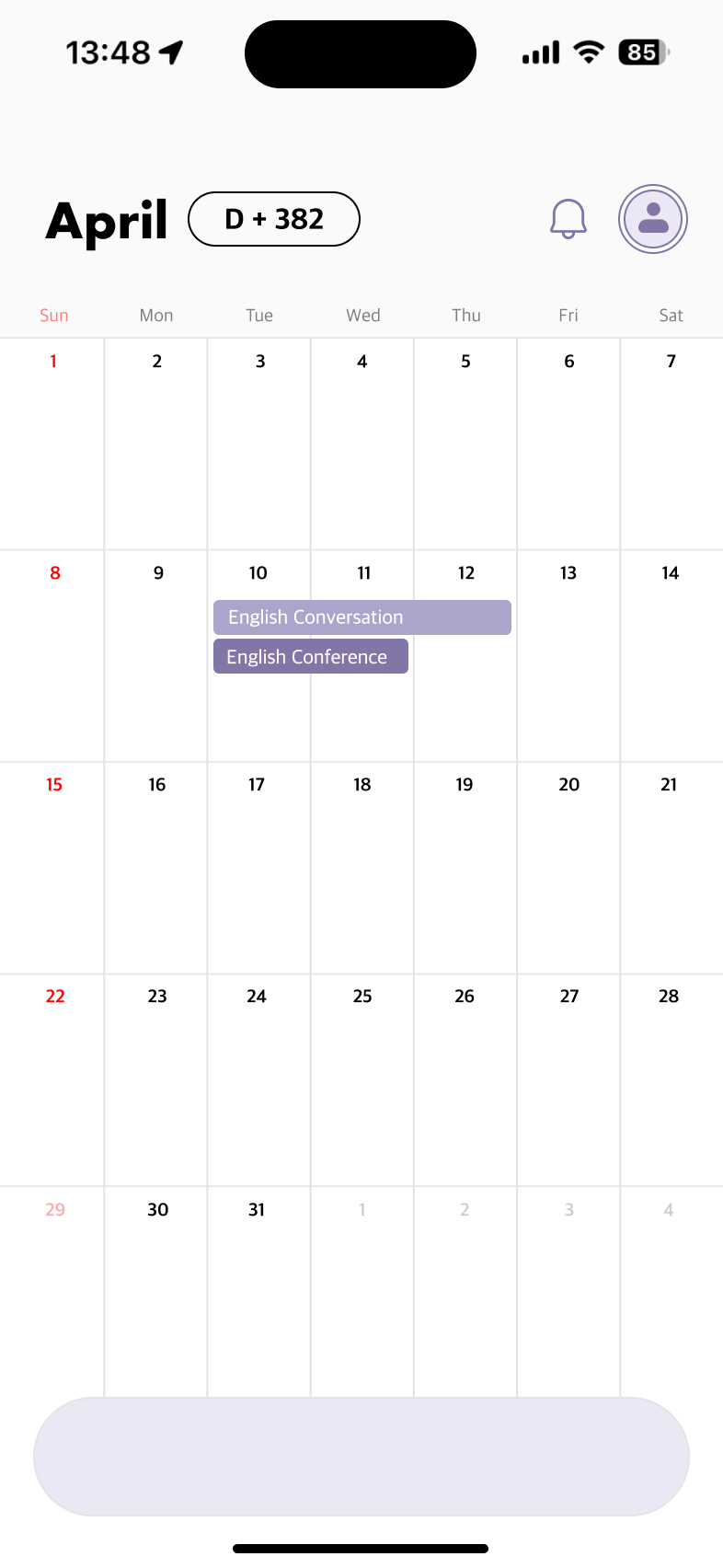
Anniversaries, todos, and Google Calendar in one place. An AI reminder nudges you from D-14 so you don't miss the day.
The awkward parts of a single-user calendar, rebuilt around the couple.
Cards appear at D-14, D-7, D-1, and D-Day. Gift ideas, a checklist, then a message on the day.
Existing Google events pull in. Anything you create in Plink lands back in your own Google calendar.
Enter your anniversary once. 100, 200, 500 days and 1, 2, 3, 5-year milestones add themselves.
Track gifts you want to give your partner. The recipient can't see their own list, so surprises stay surprises.
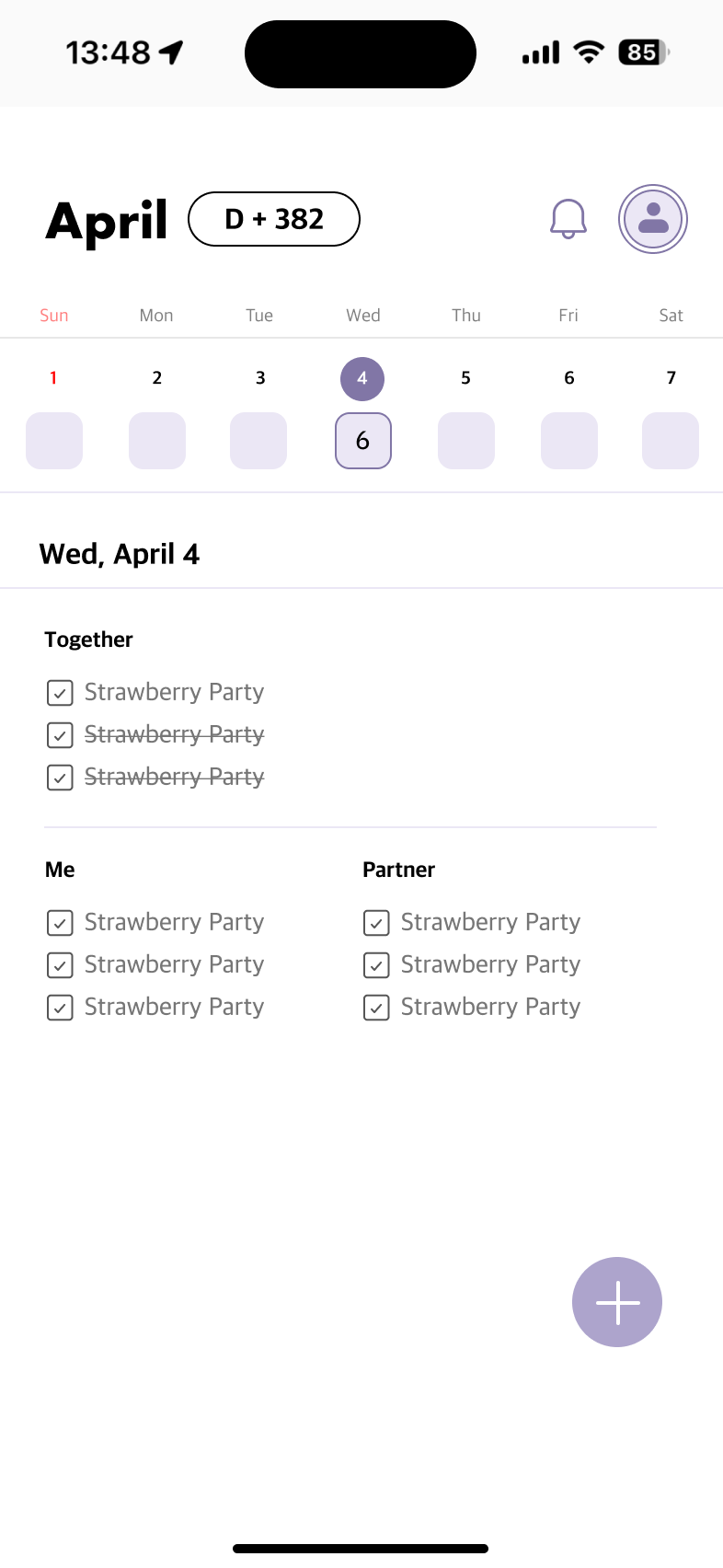
Three audiences: Together, Mine, Partner. Private events stay private. Shared events sync.
System fonts. One brand colour. No ads, no popups.
Plink shows up at D-14, D-7, D-1, and D-Day with a small card for each stage. Once you've responded, it goes back to being a calendar.
A card asks if you want to plan ahead. Tap yes and Plink starts a private checklist.
If you said yes, a check-in. If not, three gift ideas for the anniversary.
One last nudge. Tap remind-me-later to push it to tomorrow 8 a.m. KST.
A message for both of you, different on each side, naming the day.
Plink pulls your Google events on open, on foreground return, and every three minutes. Anything you create in Plink pushes back to your own Google account. Never your partner's, so no sync loops.
Every event, todo, and anniversary carries an audience tag. Together items show on both sides. Mine items are partner-blind through row-level security. Partner items are made for the other person to see.
Both partners read, write, delete.
Owner only. Partner-blind.
Made for the other to see.
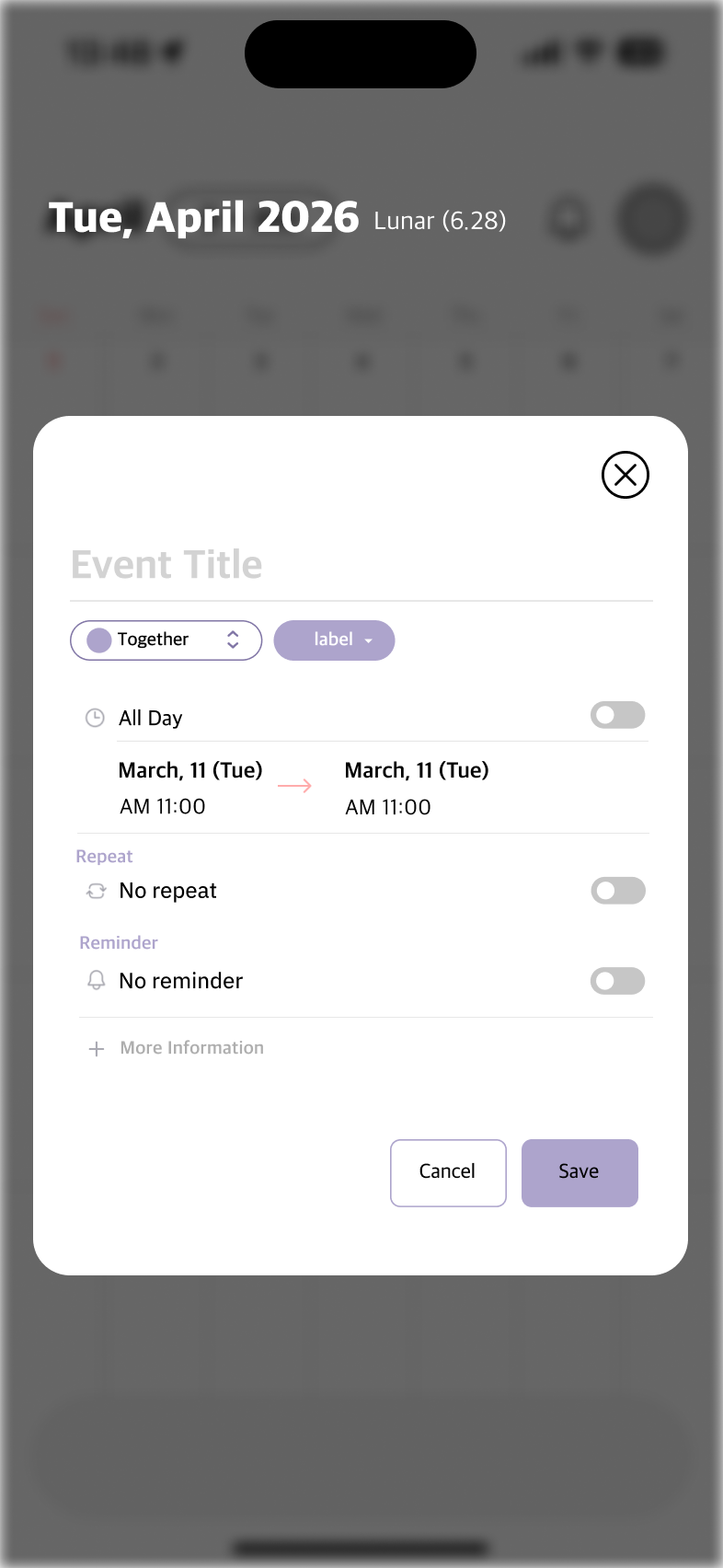
One sheet. Title, audience, label, all-day toggle, start and end, repeat, reminder. Anything you don't need stays hidden until you tap for more.
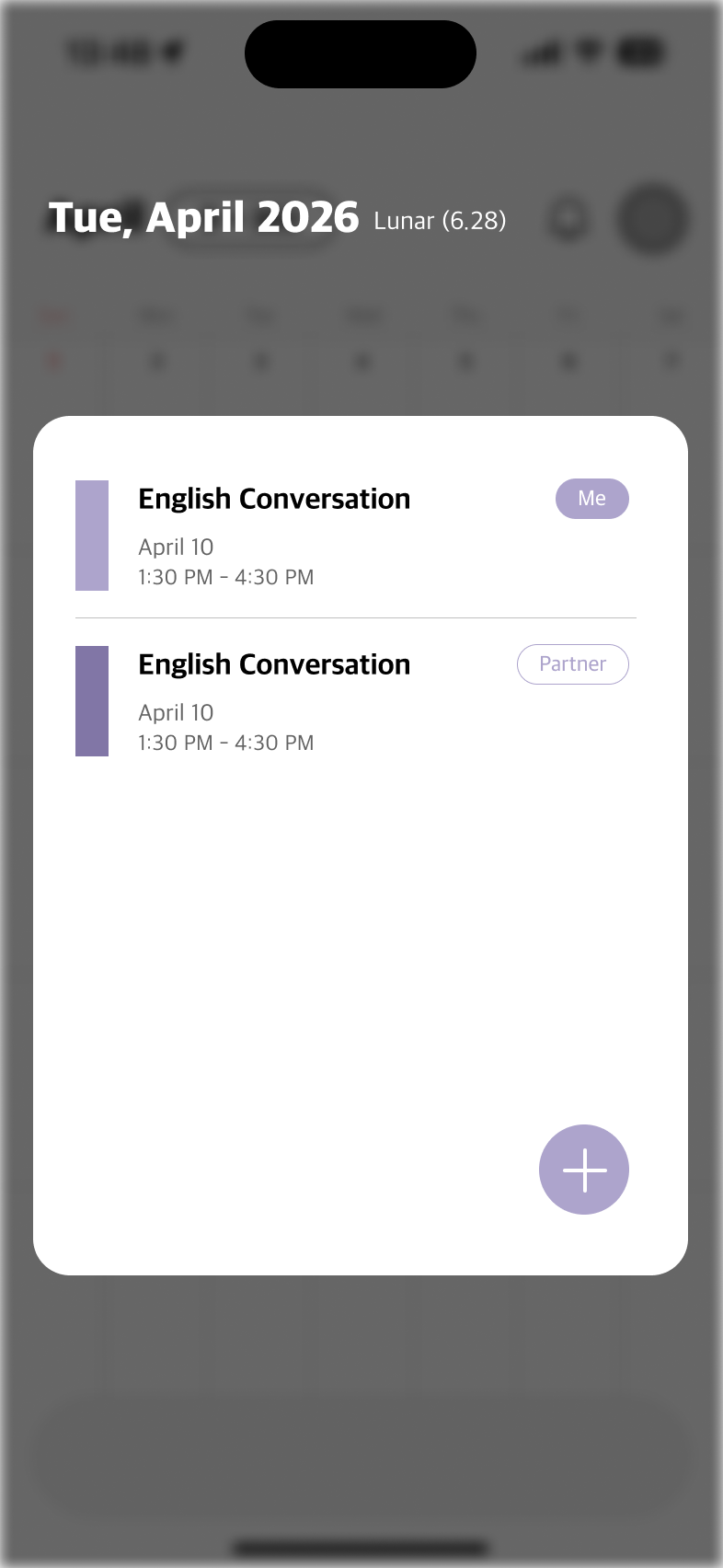
Day detail shows every event with the partner who created it. Audience pill on the right, lavender bar on the left. One glance is enough.
No team setup. No admin console. Just two people and a date.
Email and password, or Google sign-in. Verified instantly.
Generate a 6-character invite code. Your partner enters it on the other side.
Plink fills in 100, 200, 500 days and 1, 2, 3, 5-year anniversaries automatically.
Email and password, or sign in with Google. Terms and Privacy sit in the footer, so you read them when you want to, not because they're blocking the way in.
Our Privacy Policy lists every payload to OpenAI, function by function. No ad trackers. No analytics SDKs.
Read the policyPlink isn't on the App Store, Google Play, or ONE store yet. The web build is live for early couples. Feedback decides the next version.